Activity
Mon
Wed
Fri
Sun
Sep
Oct
Nov
Dec
Jan
Feb
Mar
Apr
May
Jun
Jul
Aug
What is this?
Less
More
Owned by Steve
Learn. Burn. Build. Join the Laser Lab to get exclusive SVG files, LightBurn tutorials, and behind-the-scenes project chaos from WilmerWoodWorks.
Real creator income, YouTube growth, affiliate systems, AI workflows & brand deals—without the fake guru nonsense. Build while you learn.
Creators Forge
285 members • Free
Skoolers
162.3k members • Free
Creator Boost Tribe
9.2k members • Free
Woodworker Jumpstart
21.4k members • Free
Sawinery Woodworking Guild
2.1k members • Free
203 contributions to Creator Boost Tribe
6h •
A Quick Reintroduction
Hey everyone, I was somewhat active here last year but haven’t posted much lately, so I wanted to reintroduce myself. I’m Steve, and my main channel is WilmerWoodWorks, where I create woodworking, laser, tutorial, and tool-review content. The channel recently passed 5,000 subscribers, and along the way I’ve learned that YouTube ad revenue is only one part of building a creator business. That led me to start a second channel called CreatorLab-WW. My goal is to help newer creators use the skills they’re already developing to earn income through YouTube, Amazon Influencer videos, affiliate marketing, brand deals, digital products, and online communities. I’m not pretending to have it all figured out. I’m documenting what I try, what works, what fails, and what I’d do differently. I’m looking forward to getting active here again, learning from everyone, and sharing what I discover while building this second channel. Is anyone else working on turning their channel into a broader creator business?
0 likes • 4h
@Mouldi Nouri Great question. For my main channel, Amazon Influencer income and affiliate commissions have been the most natural fit because my audience already trusts me for practical tutorials, tool reviews, and honest opinions about what I actually use. Brand deals can fit that same trust, but I’m careful about what I accept. A quick paycheck isn’t worth recommending something I wouldn’t buy myself. With CreatorLab-WW, I’m documenting how I’m building and balancing those income streams so newer creators can figure out what fits their own audience.

🔥
4d •
Going Live on YouTube
Hey Everyone! I am going to start going live on a regular basis on YouTube. I received a couple of tips from others but I want to hear from you in this tribe and from Alexa. What are some do's, don't, tips, etc. that you can give me (and others here too) who have gone Live on YouTube. And thanks to @Jenny Sharratt for the suggestion. She saw one of my videos and suggested they will be perfect for going live. I'm listening😁👍🏾🤗and appreciate this idea!❤️

1 like • 6h
I’ve been doing YouTube Lives for a while, and my biggest advice is to treat each livestream like a video that happens to be live, not just an open-ended hangout. A few things I’ve learned: - Have a topic and a loose outline. - Start talking immediately. Most viewers may watch the replay, so don’t spend ten minutes waiting for people to arrive. - Test your audio every time. People will forgive average video, but bad audio sends them running. - Schedule the Live ahead of time with a good title and thumbnail. - Greet viewers and answer comments, but don’t let one conversation hijack the stream. - Ask specific questions to encourage participation. - Use a moderator once your audience grows. - Keep the setup simple. Reliable audio, one camera, and decent lighting are enough to start. - Make the title and content useful for replay viewers too. Most importantly, don’t expect the first few Lives to be perfect. Livestreaming is a different muscle, and the only way to build it is by going live.

Nov '25 •
Video editing platform suggestions?
Hi all! With Canva’s newest update to their video editing, I find myself looking for a whole new video editing platform to use. 🫠 I thought I would ask for some suggestions on video editing software/platforms. I’m leaning possibly towards CapCut but would want to start out with their free version to see how user friendly it is. Anyone got any ideas?
3 likes • Nov '25
I use Davinci Resolve. You can get a lot done with the free version (I've been using it for about the last 1.5years) I just upgraded to the paid version a few months ago but it's a pay once and then you are done.

2 likes • Nov '25
1 long form per week 1 Livestream per week 15-20 shorts per week I have 2 channels (and a regular full-time job! LOL 😄)
Aug '25 •
🎉 August Wins & What’s Next 🎉
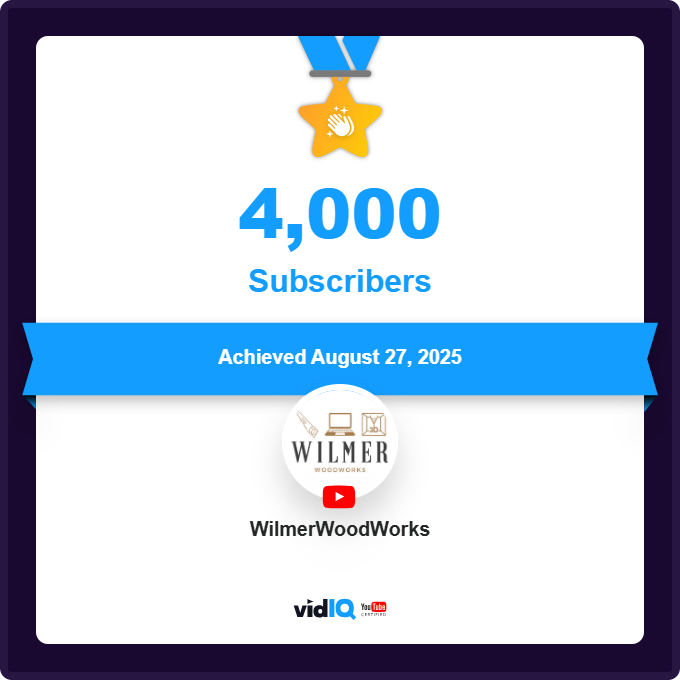
Big month for my channel, and it feels like things are finally lining up. I’ve started rolling out my holiday laser tutorials with Halloween projects (Thanksgiving and Christmas are already in the pipeline). Feels like I hit the timing just right because views and subs are both climbing steadily. We just crossed 4,000 subscribers, and earlier this month blew past 500,000 total views. Half a million! That number still makes me double-take. And the newest twist: I’m officially launching a Skool community this Sunday. Totally new territory for me, figuring out how to keep original content flowing in there while still keeping YouTube uploads going strong through the end of the year. So yeah, the next four months should be interesting. What do you think, am I crazy for stacking all this on at once, or does this sound like the right kind of chaos?
1-10 of 203
@steve-wilmer-5860
I enjoy Woodworking, DIY, & tech and enjoy making videos and learning new skills.
Be sure to join my Skool Community: https://tinyurl.com/4cvuykd6
Active 2h ago
Joined Sep 16, 2024
Florida
Powered by