Write something
Pinned
Pinned

Feb 26 •
Course Syllabus and Calander
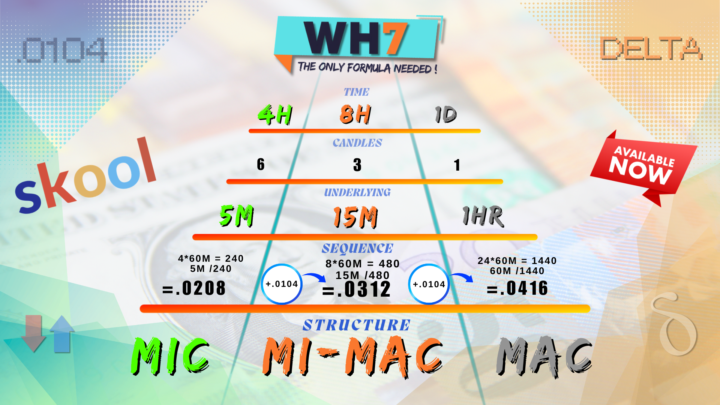
Everything is properly in order for you to grasp. WEEK 1 - LANDSCAPE/RULES WEEK 2 - MOVING AVGS./ WH7 DELTA RULES (NATIVE - SQ -CHECK) WEEK 3 - MOVING AVGS. / TREND LINES / RULES WEEK 4 - WH7 SUPPLY DEMAND | COMBINED ( MIC - MIMAC -MAC) WEEK 5 - FIB RETRACE / FIB EXT - CHECK | WH7 RULES (WARM-HOT-GOLDEN ZONE) WEEK 6 - SUPPLY / DEMAND | TRAFFIC WEEK 7 - MARSI RULES / NATIVE- SQ. | STOCH RSI RULES / CHECK - FIB EXT. WEEK 8 - BOLLINGER BANDS & FULL BASE REVIEW WEEK 9 - INTRO ENTRY PACKAGE / SET UP RULES / NEW TIME FRAMES WEEK 10 - ENTRY PREVIEW / CHART WORK REVIEW WEEK 11 - WH7 INDICATOR LESSON WEEK 12 - ENTRY ROAD MAP EXAMPLES | RISK MANAGEMENT | BONUS WEEKS - TBD
May 3 •
CHARTS *IMPORTANT
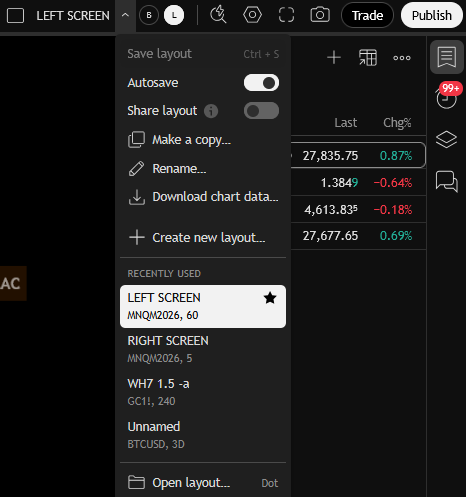
I FORGOT TO MENTION, WHEN USING 2 SCREENS ....MAKE SURE YOU CREATE 2 DIFFERENT CHART LAYOUTS 1 FOR LEFT SCREEN AND 1 FOR RIGHT SCREEN (1ST PIC). THIS WAY WHEN YOU ARE DRAWING ON ONE SIDE ON THE "SAME ASSET" IT DOESN'T INTERFERE UNLESS YOU CHOOSE TO SYNC A DRAWING BY RIGHT CLICKING ON OBJECT AND SELECTING "SYNC GLOBALLY"(2ND PICTURE) ( EX. YOU HAVE TO BE USING THE SAME ASSET FROM THE SAME BROKER FOR SYNC TO WORK)
Mar 5 •
Week 1 Is Now a Free Tier !
WH7 now offers a Free Tier - Only for WEEK 1 Content. Which Helps you understand the direction of the course. Weeks 2-12 are for Premium Users.
Mar 7 •
Premium Subscribers
As you can see here we are NOT using the same Native time frame example in the WEEK 2 course. This is the DAILY Native we are working with now, and looking at the picture posted we still have the SAME Delta Constant Tempo with our Moving Averages (no matter what timeframe is used for our NATIVE). Please study the Week 2 Rules and Familiarize yourself with the examples and explanations so it becomes second nature as time goes on. For those who follow my IG stories, You should know Gold (XAU) took a deep retracement earlier in the week which i only got off one trade before it happen. I was excited to trade it all week on a bullish bias, but its better to let it reset. But it gave me more time for back testing and data collection for the course.
3
0

1-7 of 7