Activity
Mon
Wed
Fri
Sun
Sep
Oct
Nov
Dec
Jan
Feb
Mar
Apr
May
Jun
Jul
Aug
What is this?
Less
More
13 contributions to KDP Publishers by PublishFlow

Jul 12 •
Workbook style interiors on ebook/ best practices?
I just wanted to post this for feedback from the group.. also it may help someone if you’re doing workbooks.. someone else I know got their account suspended for “ poor customer experience” ebooks workbook style interiors.. I had ultimate formatting do my interior, which has workbook aspects- check boxes, fill in the blank, etc.. I published both paperback and e book. I asked ultimate if they can change the ebook formatting to be more user friendly, they said: “Kindle ebooks don't support interactive features like fillable blanks or checkboxes, so there's no way to make those work the way they do in a printed workbook or PDF. Amazon can reject or remove Kindle books if they're mainly designed for readers to write in, check boxes, or complete activities, since that doesn't translate well to Kindle devices. If your book only has a few reflection questions or prompts, it's usually fine. But if a large part of the book is made up of worksheets, checklists, or spaces for readers to fill in, I'd recommend publishing that version as a paperback only. Another option is to adjust the Kindle version by changing those activities into reflection prompts and suggesting readers use a notebook for their answers.” Anyone have any suggestions.. should I adapt these features on the ebook if they are present? Whats the best pivot? Thank you!
2 likes • Jul 14
I really appreciate that andrey thank you!!

Jun 16 •
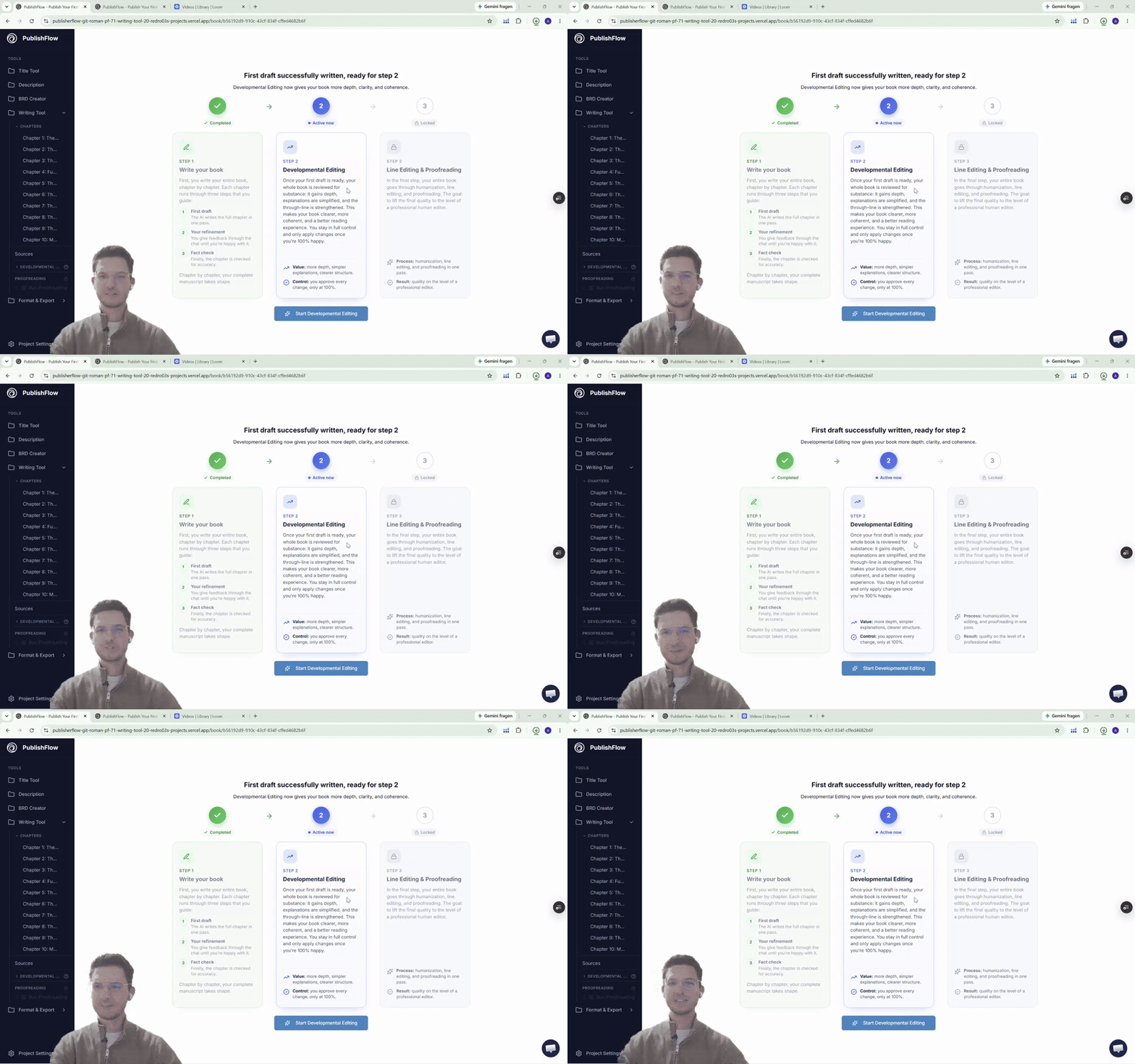
Our biggest update yet! Writing Tool 2.0 🎉
We reworked the heart of PublishFlow! You are now able to write books… …more detailed …more polished …and faster ✅ First big update: Developmental Editing We added a Development Editing layer, analyzing your book and optimizing it in the following areas: - Finding redundancies - Solving logical gaps - Adding more value to the reader - Improving the overall structure and flow - Helping you getting an overview of the book It models a real human developmental editor and is the biggest quality improvement we ever added for the writing tool so far. ✅ Second big update: Global Proofreading The proofreading now moved from the chapter by chapter section to a global layer. This means, after you finish your book and it went through development editing it enters the final step: proofreading. Like a human proofreader it is the last quality gate before your book is publish-ready. We also improved the structure of the proofreading. Before, it humanized and proofread your book. In addition to that we now are able to imitate human line editors. This results in more professional writing final versions of the text. ✅ Find a detailed explanation and tutorial of the new updates below 👇🏼 We hope you enjoy the new update and test it right away! It is available for all PublishFlow users for all new books, and also existing books: app.publishflow.com If you have any questions or feedback, just let us know! We are as always happy to help.
4 likes • Jun 16
So stoked for this!! 🔥🔥Nice job, boys!

Jun 15 •
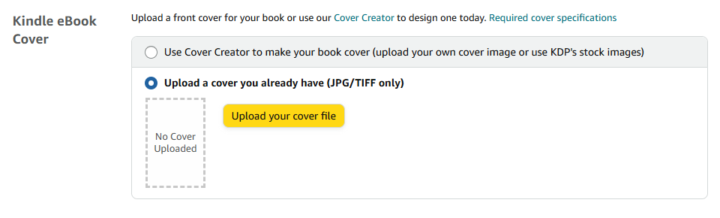
Cover Export only PNG but Amazon wants JPG or TIFF
im not sure if this is NEW, i was gonna publish a new ebook with a cover designed and downloaded with the Visuals tool which exports to PNG natively without any options. i dont remember having issues like this on my previous books but amazon now WANTS a JPG or TIFF
1 like • Jun 16
Thank you for this Joel, much appreciated heads up!

May 10 •
Lost Book Cover Revisions
Working on a book cover and all my revisions have gone back to an early version. I had about 22 revisions now its showing I have 17. I now need to use credits in stages to get back to where I was before. Another point when I give specific instructions sometimes the ai is over eager and changes something else also, like a color or shadow that wasn't asked for. Would like to know how I can get back my stepped revisions. Tried to undo and refresh.
2 likes • Jun 9
Thanks for the info and the Awesome positive Attitude @Nigel Howard ! Helps when things go wonky, haha, good perspective.

May 28 •
Define “context”
I’ve spent a long time getting the outline, instructions and style tone ready for my book, but I’m really unsure what is supposed to go in the context section. Can anybody enlighten me please?
0 likes • Jun 7
Not to hijack the thread.. sorry @Jen Carter and @Andrey Bernhart .. but I’m wondering, if you’re doing a series and want to replicate the tone and large parts of the book- like a system the book follows, what’s the best way to build that within the context? I can make a separate post about this for organization. What’s the best workflow, within PF to make series books align with voice, tone, methods? Thanks a million!
1-10 of 13

Active 10m ago
Joined Apr 5, 2026
Powered by