Activity
Mon
Wed
Fri
Sun
Nov
Dec
Jan
Feb
Mar
Apr
May
Jun
Jul
Aug
Sep
Oct
What is this?
Less
More
CG Python Academy
1.4k
Free
16 contributions to CG Python Academy

Aug 18 •
How to read and assign values to geometry nodes modifiers?
It sounds like such a basic question but I've been struggling with it last day and couldn't find an answer and AI was giving all the incorrect answers. So lets say I have a custom node group that I assign as a modifier to a mesh object (see image). How do I actually read and assign values to this modifier like 'Resolution' or 'Bevel Radius'? To be precise, I'm trying to build a modal operator which is after adding the geo node modifier, should allow me to adjust parameters of this modifier by, as an example, moving mouse to adjust Radius and then LMB to confirm. It seems like geo nodes work differently from regular modifiers and I constantly getting different errors. I'm also not very familiar with modals, currently I'm adding the modifier via invoke() and then adjust the parameters through modal() via if event.type == 'MOUSEMOVE', is this the correct approach? I attached the WIP operator I'm trying to make, it uses a custom append_geo_nodes() function that references a blender file with all my custom geonodes so it won't work on its own but you can add any custom geo node modifier to test it.. Thank you!

1 like • Aug 26
@Victor Stepanov here's what it looks like after I tinker with it to make it run without my (pretty large at the moment) addon, mainly I just changed function names and replaced your build_pipe_generator_node_group() function with my own, it still should return node group but maybe I'm missing something..
1 like • Aug 28
@Victor Stepanov that worked, thank you so much Victor!!
Feb 18 •
VSCode fake-bpy-module question
Hello! I have been out of Python for some time and recently when I came back to VSCode it shows yellow highlight on import bpy modules (also mathutils). Yet it seems I have latest bpy module installed? I'm not sure what is happening here😭 Blender version and Python version are the same as the last time I used it without issues.
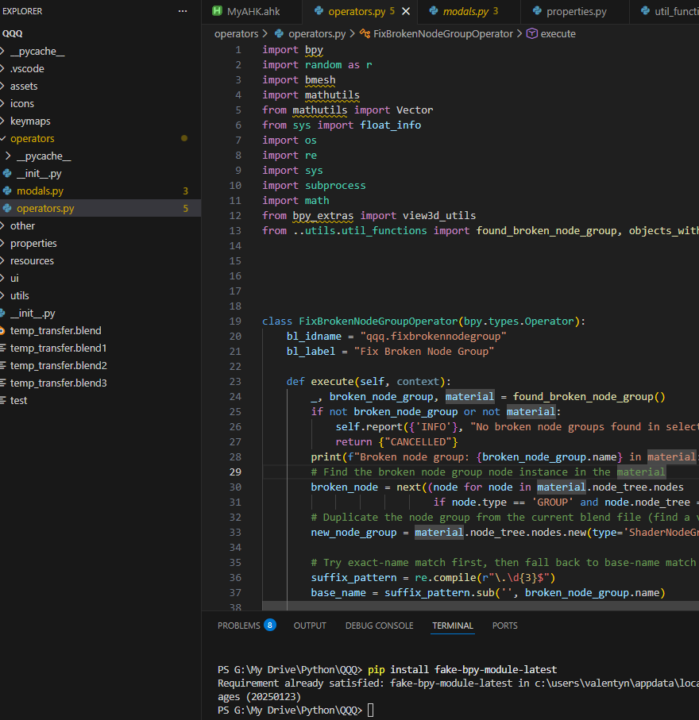
0 likes • Feb 22
@Victor Stepanov doesn't seem to do anything :(
1 like • Feb 23
@Victor Stepanov oh, it worked 🙏 thank you so much (yeah, there was this typo in your earlier message which I copied 😭 )
Sep '25 •
Heed help with Export FBX operator
I'm trying to build an operator that moves selected objects to world origin (ignoring Z axis), runs 'Export FBX' operator and after execution (either finished or cancelled) the objects should move back to their original locations. The problem that 'Export FBX' is a modal operator and if I write 'move objects back' code after bpy.ops.export_scene.fbx('INVOKE_DEFAULT') , it executes right after the operator was called even if user haven't exported objects yet. So pretty much the objects should stay at world center until user clicks 'Export FBX' or 'Cancel' button because objects need to have their pivot points at the center when I import them to other programs such as Unreal. I can't wrap my head around how to do it. I was thinking of something like "if bpy.ops.export_scene.fbx('INVOKE_DEFAULT') returns {"FINISHED"} or {"CANCELLED"} -> do the thing", but it returns {"RUNNING_MODAL"} on call. Hope it makes sense :D Help please! I'll try to attach the code in comments as it says 'failed to upload an image' when I try to attach .py file here.
1 like • Sep '25
@Victor Stepanov yeah I thought of this option, the problem is I often need to change the export settings (such as location) and that can be specified in Export FBX window. I think I might use invoke() and draw() to allow user to specify the folder and other settings before execution. BTW is that a custom file browser window on your screenshot? What's the code for it, may I ask please?
0 likes • Sep '25
@Victor Stepanov thank you Victor 🙏
Sep '25 •
Stuff I've been working on
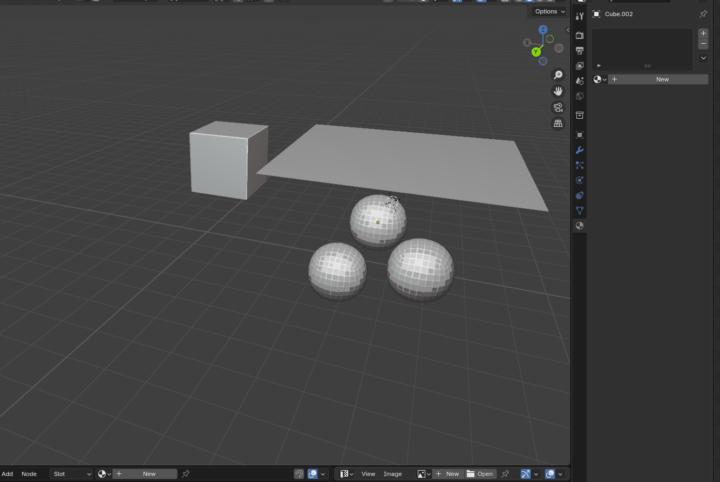
Hello! Just wanted to show what I've been working on, it's my personal Blender QoL addon that has a ton of different functions (the overall project has 10k+ lines of code :D). I won't be able to show everything as a lot of stuff there is quite niche to what I'm doing for work but something that I feel quite proud of is a custom modal that allows to quickly copy materials/modifiers/etc from one object to another, a custom shader pie menu with useful shader node groups and a object viewport colour randomiser and selector. Huge thanks to this community and Victor for help:) I definitely enjoy working with Blender Python and now I have some other tools I want to develop but outside of Blender but that's a different journey it seems :D

2 likes • Jun '25
Hello!
1-10 of 16

Active 8d ago
Joined Jan 7, 2025
Powered by