
Write something
Pinned

Jul '24 •
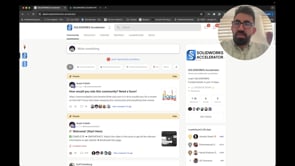
🎉 Welcome (START HERE) ! 🎉
1. Watch This Video (MOST IMPORTANT!) ➡️ Click here to watch the getting started video! ⬅️ ━━━━━━━━━━━━━━━━━━━━━━━━━━━━━━━━━━━━━━━━━━━━━ 2. 📚 Essential Resources: - Bookmark this page. - Download the Skool app: Download for Android OR Download for Apple ━━━━━━━━━━━━━━━━━━━━━━━━━━━━━━━━━━━━━━━━━━━━━ 3. ✍️ Quick Onboarding: - Fill out this mandatory onboarding form (Takes 5 mins). ━━━━━━━━━━━━━━━━━━━━━━━━━━━━━━━━━━━━━━━━━━━━━ 4. 👋 Introduce Yourself: - Introduce yourself by commenting on this post. Here is a template: -- Name: -- Age: -- Location: -- Reason to learn SOLIDWORKS: -- A summary of your background: ━━━━━━━━━━━━━━━━━━━━━━━━━━━━━━━━━━━━━━━━━━━━━

18h •
Tips and tricks!
Hello my fellow community members! may i ask you for some tips in solidworks or some common mistakes people can make?
1
0

6d •
The "S-KEY" toolbar i Solidworks!
I just learned about the S-KEY in Solidworks! Helps me a lot when sketching and makes everything go smoother and faster! Any tips to what commands to include in the "S" toolbar for quicker modelling?
Sep 7 •
Looking for the most useful tip/shortcut!
Hey guys, I’ve learned a lot from these lectures and projects, but I’m afraid I might have overlooked some cool shortcuts or tips. Got anything you particularly recommend?

1-30 of 654

skool.com/solidworks-accelerator
Learn SOLIDWORKS Fundamentals in just 14 days.
Leaderboard (30-day)
1
+5
2

+2
3

+2
4

+1
5

+1
Powered by