
Write something
Pinned

May 3 •
Start Here. AI Coding Agents: 1-on-1 Live Workshop
If you are a Software, DevOps, or QA Automation Engineer, you can see and feel how the work around you is changing. AI in 3 years went from being a "toy" to being a real tool with real workflows and huge impact on the way we work. The engineering teams that use AI coding agents can ship in days what used to take two weeks. Companies know that. That is why knowledge of how to use AI coding agents is a mandatory skill now for the interviews and daily work. This is a problem for everyone in the engineering field. You did not cause it, but you have to solve it. You stay slower than peers who already use agents. You show up weaker in interviews that now test AI skill. In a market that laid off 170,543 tech workers in 2026 alone (https://www.trueup.io/layoffs), companies are consolidating around people who multiply themselves with AI. But figuring this out alone is hard. New tools, updates, changes in the approaches happen every few weeks... For example a few months ago MCP was the hot topic, now it's slowly going away and custom CLI tools are replacing it. This is just one example but there are many more like this. That is what makes learning AI agents hard. ──────────────────────── 🟢 There is a solution. You have to do the same thing that you did back in the day when you were starting out. Learn the fundamental principles and workflows that are going to be the base for all your AI coding agents skills. ↳ You don't go and "learn" best programming practices without knowing how to program in the first place. ↳ You don't learn Terraform before knowing what cloud infrastructure is. ↳ You don't learn testing frameworks if you don't know how to write a single line of code. ──────────────────────── 🟢 Same with the agents. Foundation must come first. That is why I built this 1-on-1 workshop, so you: ↳ Get the skills and experience to use AI coding agents and not fall behind your peers who already use them.
14
0


20d •
What technical skills do US companies actually need right now?
Been working with software systems for more than 10 years, mostly around backend, cloud, AI, automation, and product development. One thing I’ve learned, knowing a programming language alone usually isn’t enough. The harder part is understanding the actual business. How to automate work that’s still manual. Connect systems that don’t work well together. Build AI into real workflows. Keep the backend stable when usage grows. Deal with data scattered across different tools. These are the kinds of problems I’ve spent a lot of time working on here in Japan. But I’m curious about the US side. For people running companies in the US, what technical skills are becoming difficult to find? And what skills do you think companies will need more of over the next few years?
2
0
21d •
Question for people running companies in the US.
I am an entrepreneur and a tech professional. Been working with software systems for quite a while, and one pattern comes up a lot. The first version works fine. Then customers grow, operations get bigger, and little technical problems start showing up everywhere. Too many manual steps. APIs that don’t talk properly. Slow backend. Data sitting in different places. AI added, but not really connected to the actual workflow. Usually not one huge problem. More like five small ones quietly costing time every day. For those running a company now, what’s becoming harder on the technical side as you grow?
1
0
29d •
A engineer from Tokyo is currently writing this message.🙆♂️
First, big thanks to the ADMIN for building this community. Really appreciate the work behind it. Happy to be here, and happy to contribute where I can. Most of my work is with global clients, usually founders or companies building something with a real vision behind it. Not really looking for one-off tasks only. I prefer working with people who want to build, improve, launch, and keep growing a product over time. I’m based in Tokyo, Japan and work mainly across AI, full-stack development, SaaS, automation, mobile apps, and product development. I also have access to active development teams and individual engineers here in Japan. So depending on the project, can support either a specific technical area or a full development process. - Main areas I work in: • AI agents and multi-agent systems • LLM apps, RAG, AI search, knowledge systems • Business automation and internal AI tools • SaaS platforms • Web applications • Mobile apps • CRM and booking systems • Marketplace and matching platforms • Logistics and dispatch systems • GIS and location-based apps • AI customer support systems • Data processing and analytics • Recommendation systems • API integrations • Cloud infrastructure and scaling - Typical tech stack: Frontend React, Next.js, TypeScript, JavaScript, Tailwind Backend Python, FastAPI, Node.js, Express, Golang, REST, GraphQL, gRPC AI / ML PyTorch, TensorFlow, Hugging Face, LLMs, RAG, vector databases, AI agents, NLP, computer vision Mobile React Native, Flutter, Swift, Kotlin Database PostgreSQL, MySQL, MongoDB, Redis, Pinecone, FAISS, Elasticsearch Cloud / DevOps AWS, GCP, Azure, Docker, Kubernetes, CI/CD, GPU systems - Have worked across quite a few industries too. Healthcare, logistics, hospitality, education, finance, e-commerce, media, marketplaces, SaaS, customer support, field services, and more. - I can also help with: • Product planning • Technical architecture • MVP development • Production development • AI product strategy • Workflow design
2
0

Aug 29 •
Looking For AI and Full-Stack Projects
Hey everyone! 👋 I'm Takeichi, an AI & Full-Stack Engineer based in Japan. I've spent the past 10+ years building production software, with the last several years focused on AI systems and automation. Most of my work has been around: - 🤖 AI Agents & Agentic Workflows - 🧠 LLM Applications & RAG Systems - ⚡ Workflow Automation - 🐍 Python (FastAPI, Flask), TypeScript/Node.js - ⚛️ React & Next.js - 🔗 API integrations and backend architecture - 👁️ Computer Vision & OCR I've built AI research agents, document intelligence platforms, multi-agent workflows, AI voice systems, and automation tools that integrate with third-party services and enterprise systems. I'm here to: - Learn from other builders - Share ideas and technical knowledge - Exchange AI automation workflows - Connect with people building real-world AI products Looking forward to meeting everyone! Feel free to say hi or reach out if you're working on AI agents, automation, or LLM-powered products. 🚀 Portfolio: https://contra.com/takeichi_inoue_65rexfis/about Email: [email protected] Telegram: https://t.me/HustorAI WhatsApp: +81 80-9299-0062
2
0
1-26 of 26
skool.com/qa-automation-career-hub
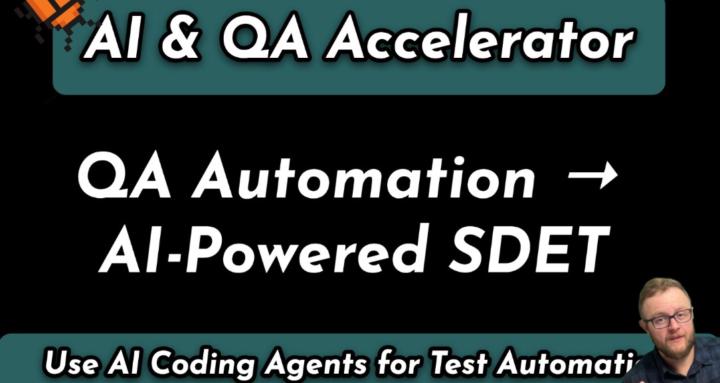
From QA Automation to AI-Powered SDET. Join AI & QA Accelerator.
Leaderboard (30-day)
1
+5
2
+2
Powered by