
Write something

2d •
MCP Prompt Library: Real Agent Use Cases Inside LeadCapture
Our MCP server is entering BETA, so I’m starting this thread to document different use cases, prompts, and things I learn along the way. I posted the initial MCP update here: https://www.skool.com/leadcapture/mcp-just-hit-staging-soon-agents-will-be-able-to-interact-with-your-leadcapture-account?p=324d6a03 It’s pretty mind-blowing to watch an AI agent interact directly with LeadCapture, review account data, analyze funnels, and make changes. The analysis side in particular is opening up use cases I hadn’t even considered. An agent can slice and dice your account data in ways that would normally take a lot of manual digging. I’m going to use this thread as a running prompt dump for things that work well. Some MCP use cases I’m testing: - Clone a funnel and make specific edits - Set up a routing rule - Build a lead quiz from scratch with X questions - Change styling across all funnel steps - Review all funnels and tell me which had the lowest conversion rate over the last 5 days - Audit my entire LeadCapture account - Import Meta or Google Ads conversion data and compare it against LeadCapture performance - Identify funnel steps with unusually high drop-off - Compare conversion rates across funnels, traffic sources, or date ranges - Find opportunities to improve conversion rates based on account data ⚠️ Important BETA note Getting an MCP server right is surprisingly difficult. Right now, MCP is strongest for analysis and account intelligence. We’re still expanding the tools it can access for editing, building, and making changes inside LeadCapture. That’s currently the biggest gap, so some prompts that involve actually changing your account may not work yet. That’s also the purpose of this Beta. We want to see what people actually try to make agents do so we can keep expanding the MCP tools around real-world use cases.
14d •
Using AI agents to call leads after submission? Here are a few things to keep in mind
AI voice agents for lead follow-up and improving response time are catching on fast and I think there’s a HUGE opportunity here. But after building one myself (more on that later), I’m more convinced than ever that qualification and verification at the point of capture are going to become even more important. A few risks/edge cases I ran into while building my AI agent (and worth keeping in mind if you're doing this... or planning to) 1) Calling, booking appointments, or handing off leads that were never qualified Yes, the AI agent can qualify someone during the call. But now you’re wasting call minutes, tokens, compute, etc. on leads that could have been disqualified before the call ever happened. Better solution: qualify and route bad leads out at the point of capture so the agent only spends time on leads worth contacting. 2) Calling bad or unverified phone numbers This is probably the biggest issue I’m seeing. Someone submits a form with a bad number → the AI agent immediately starts calling it → now you’re potentially burning numbers and creating all kinds of downstream problems. If you’re automating outbound follow-up, verifying that a phone number is real and contactable before it reaches the agent becomes incredibly important. 3) TCPA/compliance gets more complicated In the US, there are rules around when and how leads can be contacted. If an AI agent is automatically making follow-up attempts, you need hard rules around things like: Lead location/time zone When calls are allowed Frequency of follow-up attempts Consent/opt-in data TrustedForm certificates and other compliance data Automation makes follow-up easier, but it also makes it easier to automate mistakes at scale. The experience of using AI agents to handle inbound calls and follow-up is honestly mind-blowing, and I’m really excited to unleash some of what we’ve been building when it's ready. But there are so many edge cases, pitfalls, and downstream consequences to think through.
Jan 5 •
Examples of Slightly Absurd UGC-Style Pain-Amplification Ads Using AI
Having way too much fun with AI video. I'm launching some ads this week and one thing I'm testing here is pain point amplification in a scenario is intentionally absurd, yet relatable. The clown one is very risky because it might insult some people. But gotta test it. The prompt I used to get videos like this: Clown prompt: Hyper-realistic, cinematic 4K video. Natural lighting. Shallow depth of field. Clean audio. Professional commercial tone with absurd humor. Scene Description: A clown wearing full clown makeup (red nose, subtle wig, painted smile) is dressed in a sharp mortgage broker suit (navy blazer, white shirt, tie). He’s sitting at a modern mortgage office desk with a laptop, phone, and paperwork. The office looks normal and professional — city skyline through the window — which contrasts with the fact that he’s clearly a clown. The clown looks exhausted, serious, and frustrated, not goofy. Camera starts as a medium close-up and slowly pushes in as he speaks. No on-screen text. No graphics. No captions. Just the character talking directly to camera. Performance Direction: The clown speaks calmly and honestly, like a real mortgage broker venting. Dry delivery. Slight frustration. Self-aware humor. Dialogue (≈12 seconds, spoken by the clown): Critical Instruction (Important): The clown speaks directly to the camera on screen. His mouth visibly moves and is lip-synced to the dialogue. No voiceover. No narration. No off-screen audio. The audio comes only from the character speaking in the scene. When I buy mortgage leads from the big vendors… I feel like a clown. They’re shared. They’re dead. Everyone’s already called them. I got tired of feeling that way. That’s why I use TapMyMortgage — exclusive, equity-enriched mortgage leads that actually make sense.” Ending Shot: The clown pauses, exhales slightly, and looks straight into camera. Natural room tone. Hard cut to black. Overall Mood: Absurd but honest. Funny because it’s true. Clearly aimed at mortgage professionals.

Dec '25 •
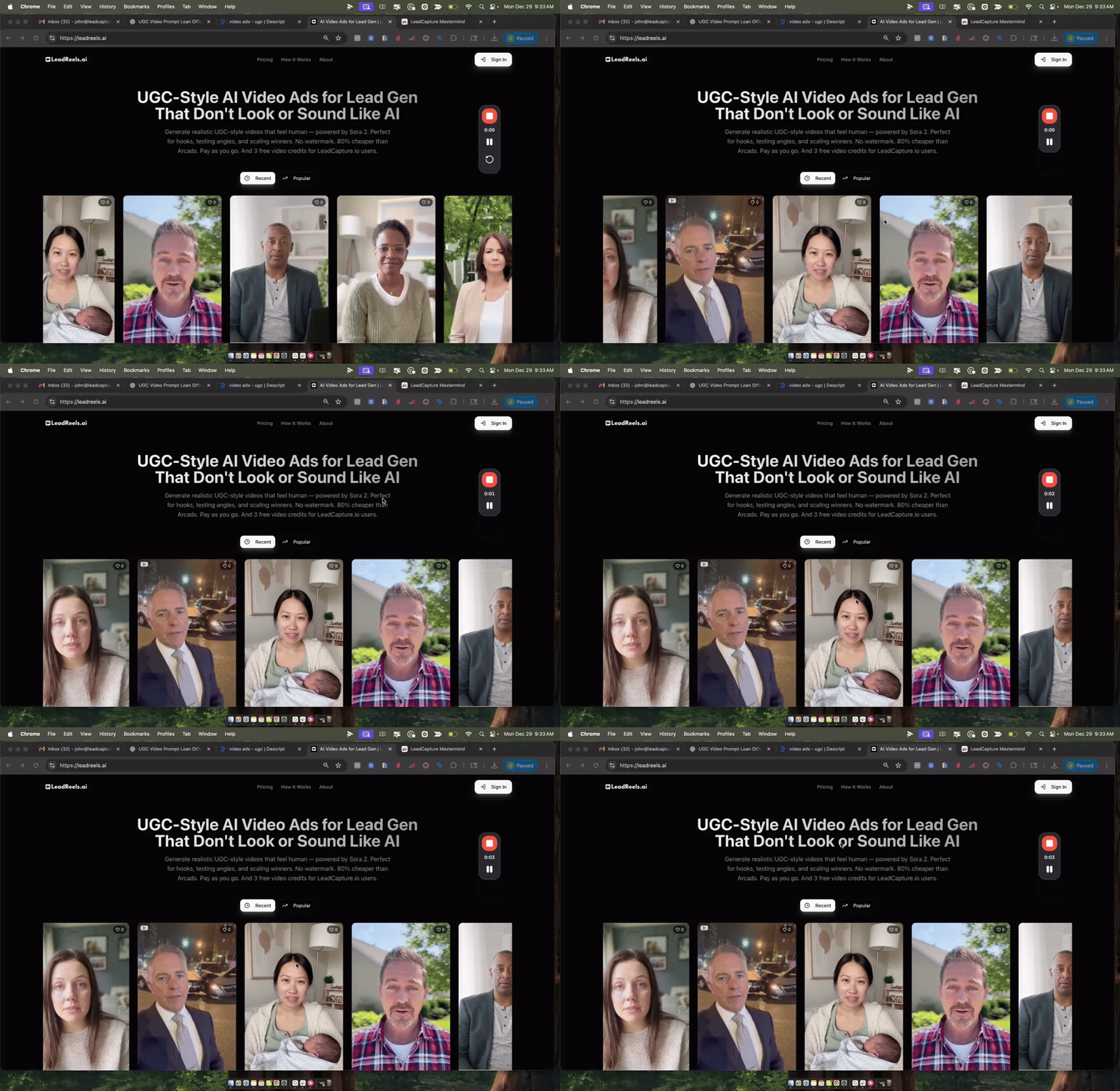
[New Tool] AI UGC Style Videos for Lead Gen (LeadReels.ai)
I cooked up something new over the holiday break for LeadCapture users who are running video ads. I’ve been going down the rabbit hole on AI-generated UGC-style video ads (the kind you’d run on Meta/TikTok for lead gen), and I kept running into the same problem: most tools can crank out videos fast… but they still feel like AI (weird motion, off voices, “too perfect” backgrounds). And the more I test these, the more I realize the ads that win are the ones that feel human. Long story short, I came up with a pretty good process + prompt for creating videos with Sora 2, but there were issues using Sora 2. So I got access to the Sora 2 API and then created my own system for this. I realized it could others so I decided to turn it into a tool, which I'm calling LeadReels.ai with the goal to create UGC-style lead gen videos that don’t look or sound like AI, without paying $10/video using Arcads and without dealing with watermarks that Sora adds. Basically giving LeadCapture users rock bottom pricing with no crazy subscriptions for fees Why this matters (and what you get as a LeadCapture user): - Cheaper creative testing: you get pricing at $2 per video (vs $5 for non-LeadCapture users, and way cheaper than most tools). it's costing us anywhere from $1.30 - $1.70 to do this so the mark up is very low. - No watermark downloads: generate → download → run it as an ad (no workarounds) - Made for lead gen: prompts/templates are designed around lead gen offers (final expense, solar, mortgage, MVA, etc.), not generic “AI video” - Workflow speed: save prompts, tag videos, build a library, clip/trims inside the UI - Community feed + remix: share a video you like (optional), and others can remix it as a starting point for their own offer/angle One constraint (for now): videos are currently capped at 12 seconds , but honestly that’s been kind of helpful for hooks + fast testing. It's invite only, dropping the sign up link here: here's the signup link - https://leadreels.ai/signup/plus/
![[New Tool] AI UGC Style Videos for Lead Gen (LeadReels.ai)](https://assets.skool.com/f/d2b8ff4ab0894978b05638130a82929f/413c37d9743a4df8ade52769587bad210a24c9efb13048ccbd26866bea8a28c0-md.png)
Dec '25 •
Creating UGC style video ads to attract lead buyers/clients (example workflow)
Last night I created a UGC style video ad in about 10-15 minutes to start creating ads that I plan to run for both the TapMyMortgage brand to attract buyer leads and also for LeadCapture and I wanted to share the workflow that I went through to do this, I'm seeing all sorts of cool, crazy ways to use UGC video ads, thought it was interesting: https://www.loom.com/share/ed031d1cc6044c56b60f26f491225e06 The thing that I'm most excited about with this is how I can iterate really quick through tons of concepts, hooks, etc
1-8 of 8
skool.com/leadcapture
Private community for LeadCapture users to share strategies, form partnerships, and level up lead gen with insider trainings and expert insights.
Leaderboard (30-day)
1

+6
2

+4
3

+2
4

+2
5

+2
Powered by